
TL;DR

Turn your quiet moments into listening time
- Thousands of audiobooks, podcasts and originals
- Listen on your phone, tablet or Echo — also offline
- Cancel anytime
Prebuilt AI workstations are now often more affordable and reliable than DIY builds due to component shortages and bulk buying. The decision boils down to whether you want plug-and-play convenience or full control over customization and upgrades.
Picture this: you need an AI workstation fast. You’re torn between building your own or clicking ‘order’ on a ready-made system. The game has changed. For years, DIY was always cheaper, more flexible, and more satisfying. Build vs Buy a Prebuilt AI Workstation. But today, the market’s flipped. Prebuilts are often cheaper, more reliable, and ready to run—thanks to bulk buying and vendor optimization. Choosing the right path means understanding what matters most: speed, control, cost, or peace of mind. This guide cuts through the noise to show you the real tradeoffs, so you can decide what fits your AI ambitions.
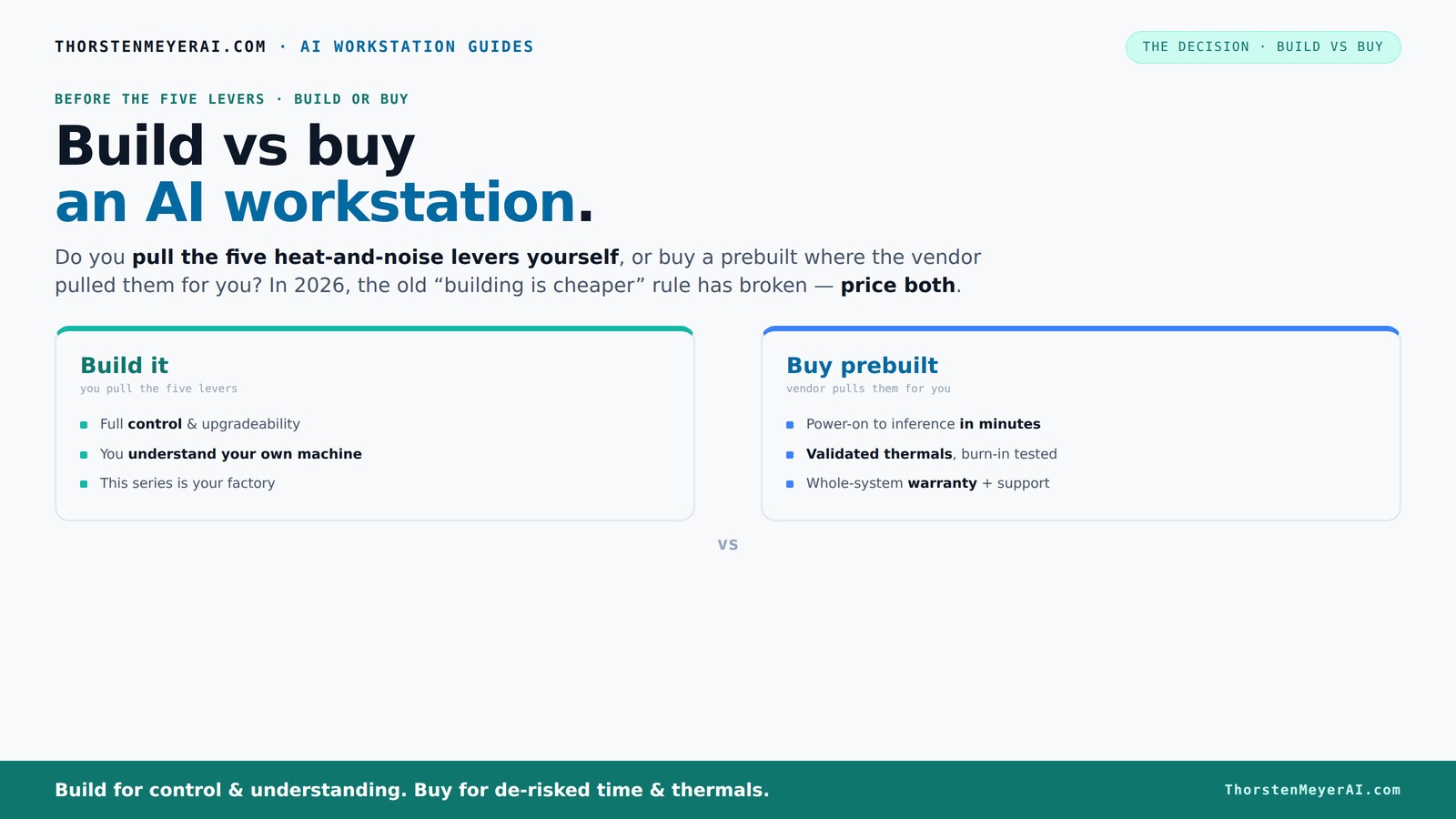
Build vs buy
an AI workstation.
The real question behind this whole series: do you pull the five heat-and-noise levers yourself, or buy a prebuilt where the vendor pulled them for you? And in 2026, the old “building is cheaper” rule has broken. Match your situation in Part 3.
Key Takeaways
- Prebuilt AI workstations are often more affordable in 2026 due to bulk component buying and supply chain efficiencies.
- Buy if you value plug-and-play convenience, validated thermals, and warranty support—especially for high-end, multi-GPU setups.
- Building your own offers unmatched control, upgradability, and potential for better value per dollar, but requires time and technical skill.
- Hidden costs like troubleshooting, cooling, and compatibility issues can add up for DIY builds—factor these into your total budget.
- Match your workload to your choice: simple inference tasks suit prebuilts, while custom training or proprietary data benefits from a DIY approach.
As an affiliate, we earn on qualifying purchases.
Why the Build vs Buy Debate Changed in 2026
The old rule was simple: build if you want the best bang for your buck; buy if you want quick setup. But in 2026, supply chain disruptions and component shortages have shaken that up. High-demand parts like GPUs, DDR5 RAM, and SSDs now cost more than ever, sometimes even surpassing prebuilt prices. Vendors like Dell and Lambda buy in bulk before shortages hit, allowing them to sell systems at prices that are tough to beat. So, the traditional advantage of DIY—saving money—no longer holds universally.
This shift means your decision isn’t just about money anymore. It’s also about time, reliability, thermal management, and how much control you want over your machine. Consider reading about reliable AI hardware for critical projects. Now, both options have their own unique strengths, and understanding these tradeoffs helps you prioritize what matters most for your workload and workflow.
As an affiliate, we earn on qualifying purchases.
What Makes Prebuilt AI Workstations So Attractive?
Prebuilts are designed to be ready to go. Imagine unboxing a system with CUDA, TensorFlow, and Docker already installed. You power on, and your AI project kicks off in minutes. Vendors validate thermals, optimize fan curves, and test stability under load—so your machine won’t throttle or overheat unexpectedly. Learn more about AI hardware reviews. This validation process ensures that the hardware operates within safe thermal limits, which is crucial for sustained high-performance tasks like training large models. Some systems, like those from BIZON or Puget, even include water-cooling for quieter operation and lower temperatures, which can extend component lifespan and reduce thermal throttling risks.
Plus, they come with warranties and support. If something breaks during a training run, you call support instead of troubleshooting hardware or BIOS issues yourself. This peace of mind is especially valuable for high-stakes projects or tight deadlines, where downtime can be costly. The reliability and support infrastructure reduce the risk of unexpected failures, ensuring your work proceeds smoothly and efficiently.
As an affiliate, we earn on qualifying purchases.
Building Your Own AI Workstation: Is It Still Worth It?
Building your own system is about control. You pick every component—GPU, CPU, cooling, case—tailoring it to your specific workload and future upgrade plans. If you're considering your options, see how Build vs Buy a Prebuilt AI Workstation compares. For example, if you’re doing inference on a large model, you might prioritize VRAM and a quiet, efficient cooler to reduce noise during long training sessions. If you’re training multi-GPU models, you’ll want robust power supplies and advanced cooling to handle the heat and power demands. This customization allows you to optimize for your unique use case, potentially squeezing out better performance and efficiency than a one-size-fits-all prebuilt.
Pulling the five levers—undervolt GPU, optimize airflow, match cooling—lets you tune your system for lower noise levels, better thermals, and energy efficiency. For more tips, visit sleep and system optimization. This level of control also means you develop skills in hardware troubleshooting and upgrading, which can be invaluable for long-term maintenance and scaling. The tradeoff is that it takes time, research, and some trial and error—especially for those new to hardware assembly. You might find helpful guidance at personal growth and technical mastery. But for enthusiasts and professionals, this hands-on approach provides a sense of mastery and the potential for a highly optimized setup tailored precisely to their needs.
As an affiliate, we earn on qualifying purchases.
Cost Breakdown: Build vs Buy in 2026
| Factor | Prebuilt | Build Your Own |
|---|---|---|
| Initial Price | Often comparable or cheaper for high-end configs due to bulk buying, which reduces per-unit costs and allows vendors to price competitively. This means you might get a system with premium specs without paying a premium price—something that was less common in previous years. | Lower parts cost individually, but additional expenses like tools, thermal paste, and potential trial-and-error troubleshooting can add up. The real savings depend heavily on your ability to source components at retail or discount prices and your willingness to invest time. |
| Time to Setup | Minutes—plug in, install OS, and go. This saves valuable time, especially if you lack hardware experience. The convenience reduces delays that can impact project timelines. | Hours to days—researching compatible parts, assembling, troubleshooting compatibility issues, and installing software. This time investment can be substantial but offers a deeper understanding of your hardware and potential long-term savings. |
| Customization | Limited to vendor options, often proprietary parts or configurations. While some vendors offer customization options, they might restrict choices to streamline manufacturing and support. | Full control—select every component, cooling system, and even aesthetic features. This flexibility allows precise tailoring to workload demands and future expansion plans, enabling you to optimize for performance, noise, and energy efficiency. |
| Support & Warranty | Manufacturer-backed, often 3-5 years, with support tailored to specific configurations. This reduces risk and provides peace of mind, especially for mission-critical tasks. | Self-supported, with limited warranty on individual parts. You need to handle troubleshooting, but you gain the ability to replace or upgrade parts independently, which can be advantageous for long-term maintenance. |
| Upgradeability | Often proprietary, limiting upgrade options and flexibility. You might be restricted to certain brands or configurations, which could impact future scalability. | Full upgrade paths—swap out GPUs, add RAM, or overhaul cooling as your needs evolve. This adaptability can extend the lifespan of your system and improve ROI over time. |
Which Workload Needs a Custom Build? Which Does Not?
If your AI tasks are straightforward—like running inference on a trained model or fine-tuning a small dataset—prebuilts often do the job perfectly. They’re designed for that. But if you’re working on custom training, proprietary data, or need ultra-quiet operation for long hours, building your own might make sense because it allows you to optimize thermals, acoustics, and hardware for your specific environment and workload. For instance, a researcher running large language models (LLMs) might require multiple GPUs with custom cooling to prevent thermal throttling and noise issues that could compromise performance or disrupt work environments. Conversely, a small startup doing occasional AI inference might find a prebuilt perfectly adequate and more cost-effective, freeing resources for other priorities.
Understanding the nuances of your workload—whether it's intensive training, inference, or data sensitivity—helps determine if the flexibility of a custom build outweighs the convenience of a preconfigured system. The key is to evaluate how much performance tuning, scalability, and control your project demands versus the time and effort you’re willing to invest upfront.
Hidden Costs You Might Not Think Of
Building your own system isn’t just about the parts. Hidden expenses can include additional cooling solutions, thermal paste, extra cables, and even the time spent troubleshooting hardware or BIOS issues. Operating system licenses, software stacks, and driver updates can also add to the total cost, especially if you need specialized software or licenses. For beginners, the learning curve can translate into hours of frustration and delays, which might impact project deadlines. Furthermore, if you make mistakes during assembly or encounter compatibility issues, fixing these problems can incur additional costs and time delays.
Prebuilts often include these costs upfront—pre-installed operating systems, validated drivers, and support services—reducing surprises and ensuring a smoother experience. For example, if your DIY build overheats due to poor airflow setup, you’ll face the hidden cost of time spent diagnosing and fixing the issue, which can be more expensive than anticipated. Recognizing these hidden costs helps you make a more accurate comparison between DIY and prebuilt options, especially when considering long-term project stability and total cost of ownership.
Upgrading and Longevity: Which Lasts Longer?
Prebuilt systems can be limiting when it comes to upgrades because many use proprietary motherboards, power supplies, or cooling solutions. This can restrict your ability to swap out components or expand as your workload grows. For example, if you start with a mid-tier GPU, upgrading to a newer, more powerful model later might require replacing the entire system or facing compatibility issues. Additionally, certain prebuilt configurations may lock you into specific vendor ecosystems, making future upgrades more complicated or costly.
Building your own system offers maximum flexibility. You can choose standard, widely compatible components—such as off-the-shelf motherboards and power supplies—that support future upgrades. This means you can add more GPUs, increase RAM, or upgrade cooling as your needs evolve, often without significant hassle. For instance, starting with a single high-performance GPU today, you could add a second or upgrade to a newer card in a couple of years, maximizing the lifespan and ROI of your investment. This adaptability is particularly valuable in the fast-evolving AI landscape, where hardware requirements can change rapidly.
What’s the Final Call? Build or Buy?
The choice boils down to your priorities. Want a machine that’s ready to run, with validation, support, and less hassle? Prebuilt is your friend. The reliability and convenience reduce setup time and troubleshooting, enabling you to focus on your AI work. Need full control over every component, or enjoy tinkering and customizing your hardware? Building your own might still be the way, especially if you value learning or want a system precisely tailored to your workload. In 2026, the market’s favor leans toward prebuilt systems for those seeking high-end reliability and speed, but the DIY route remains compelling for enthusiasts and those with specific customization needs. Ultimately, your decision should reflect your technical skill, project complexity, and long-term goals, ensuring your investment aligns with your ambitions.
Frequently Asked Questions
Is it cheaper to build or buy an AI workstation in 2026?
In 2026, prebuilt systems often match or beat custom builds on price due to bulk component purchases and supply chain efficiencies. Always compare specific configurations, as market conditions can change rapidly.Which offers better performance for AI workloads: build or buy?
Performance depends on your choices. A DIY build lets you select high-end, tailored components, potentially squeezing more power per dollar. Prebuilts come optimized and validated for stability, often with better thermal management out of the box.Can I upgrade a prebuilt AI workstation later?
It depends. Many OEM prebuilts use proprietary parts, which can limit upgrade paths. Check the vendor’s upgrade policy—some systems allow RAM or GPU upgrades, but others lock you into specific components.Are prebuilt systems reliable for long-term AI work?
Yes, when bought from reputable vendors. They perform extensive testing and include warranties. DIY systems require you to handle troubleshooting, but offer more flexibility and customization.What should I consider before choosing build or buy?
Assess your budget, time, technical skill, and workload. If your project demands rapid deployment and support, prebuilts shine. For customization and learning, building your own provides unmatched control.Conclusion
The decision isn’t just about saving money anymore; it’s about what you want to control. A prebuilt offers time-saving reliability, while building your own gives you mastery over every detail. In 2026, both paths have their merits—your choice depends on your priorities and patience.
Think of your AI workstation as an extension of your craft. Whether you buy or build, aim for the setup that fuels your creativity, minimizes downtime, and keeps your project humming. The future of AI is here—what’s your first move?
Halloween Picks
halloween
As an affiliate, we earn on qualifying purchases.